 tangzily
Products, categories, and translations
Manage the catalog used by every register in the business.
Who can use this
Catalog changes require Manage menu access.
Instructions
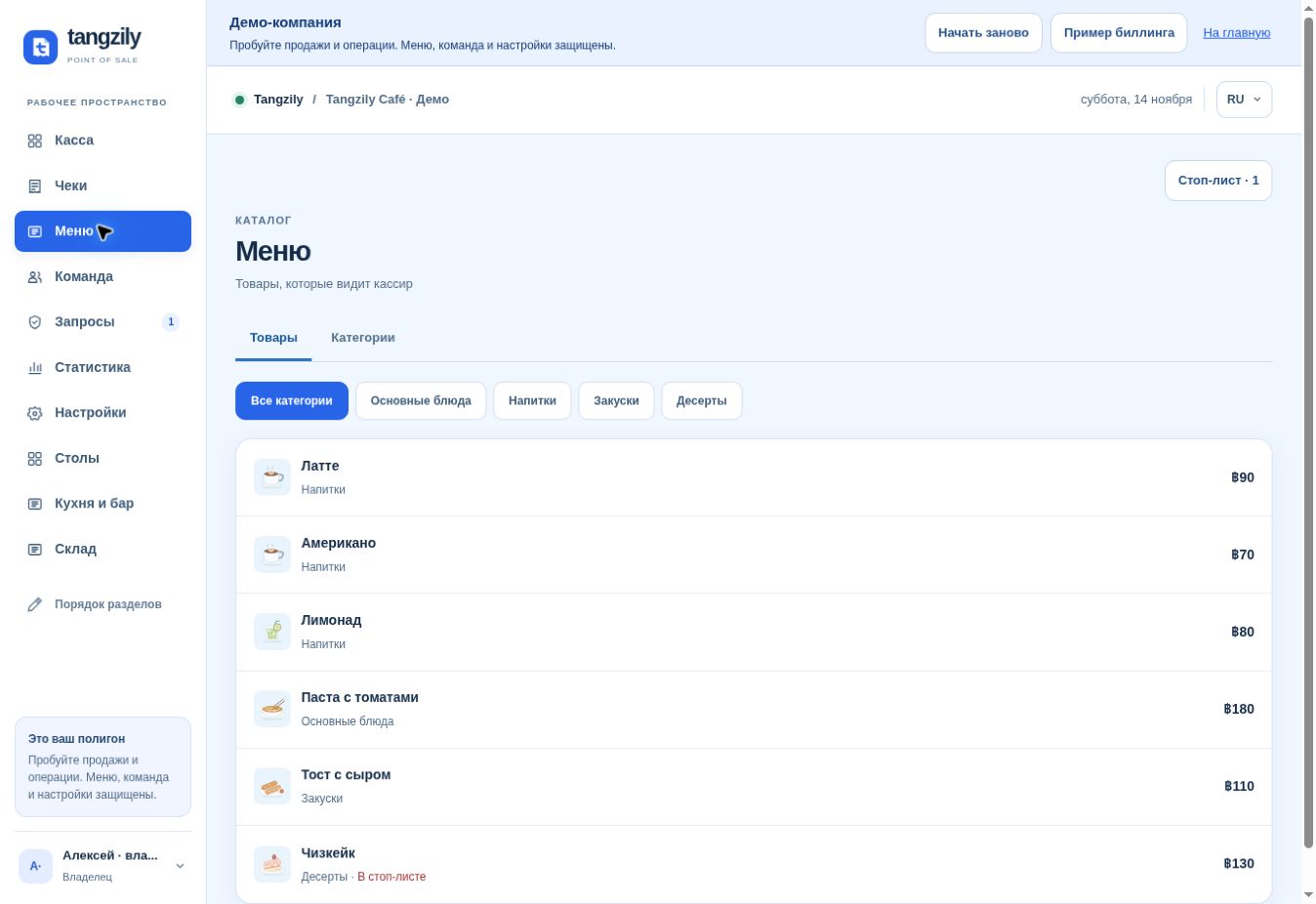
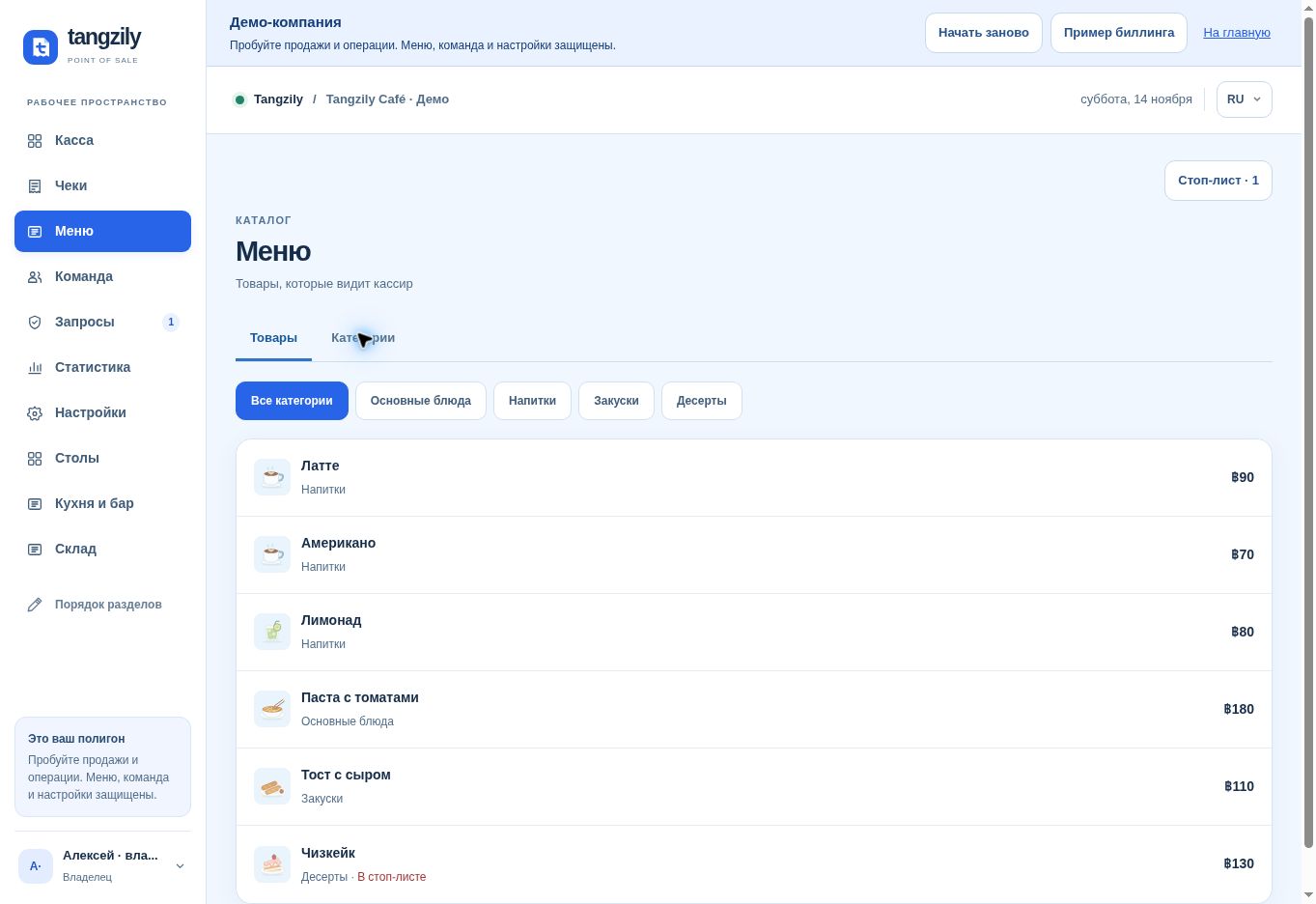
- In Menu, use Categories to create and order groups, and Products to create or update items.
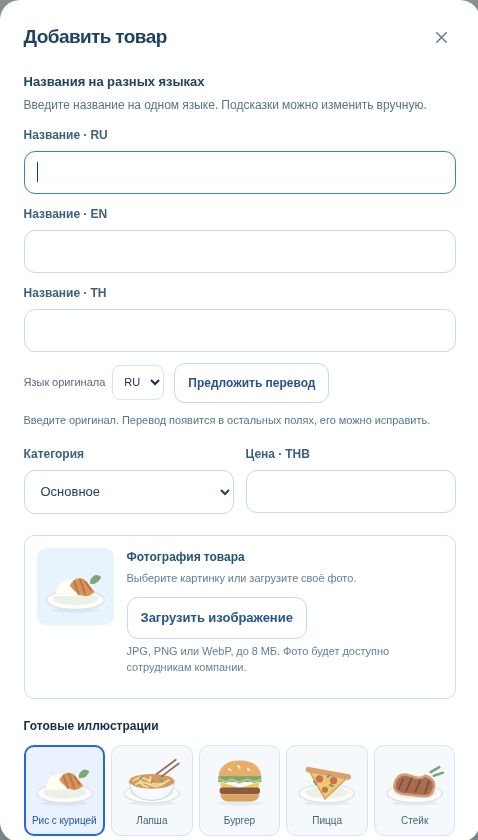
- Enter a name and select its original language. Suggest translation proposes names for the other fields. Review each result before saving.
- Select a category, price, and optional photo. Drag items or use the move controls to reorder. Use the copy preview before bringing items over from another business.
Buttons and fields
- Products / Categories
- Switch between item management and category management.
- Add category / Edit category / Delete category
- Manage groups. Move items out before deleting a category in use.
- Drag / Move up / Move down
- Change the order shown in the register.
- Add product / Product name RU / EN / TH
- Open the product form and fill the display names.
- Source language
- Set the language of the original name.
- Suggest translation
- Fill empty fields or propose alternatives for filled fields.
- Use suggestion
- Apply the proposed translation to that field.
- Category / Price
- Choose where the product appears and its price.
- Upload image / Preset illustrations / Remove image
- Set or clear the product image.
- Save / Duplicate product / Archive
- Save a change, start from a copy, or remove the item from the active catalog.
- Copy from a business
- Preview and copy selected items and categories from another business you own.