 tangzily
Settings, currencies, and navigation
Manage operating currency, personal display preferences, and approval rules.
Who can use this
Business settings require the appropriate permission. Display currency and navigation order are personal.
Instructions
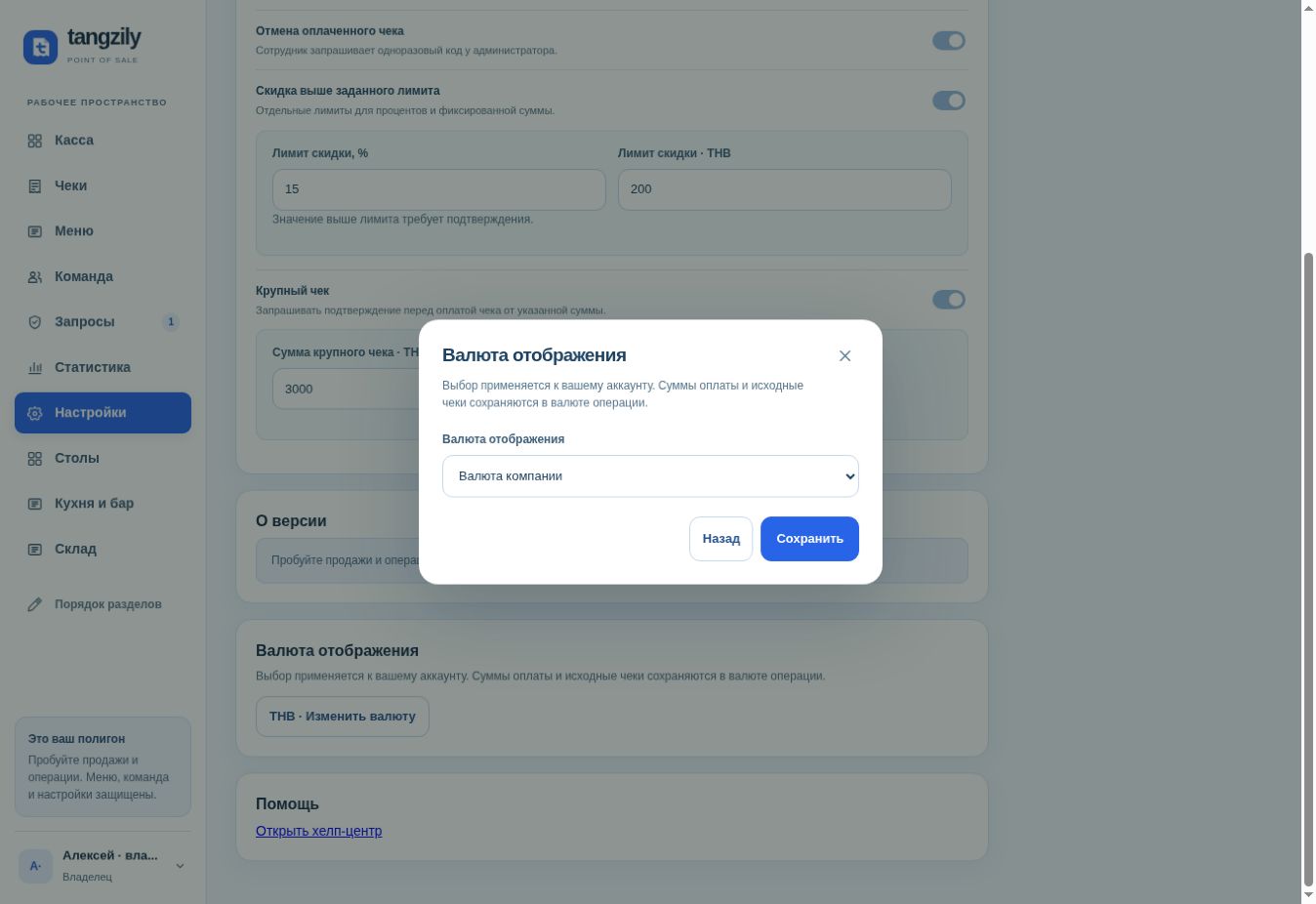
- Choose your display currency separately from the currency used to record payments. Close the shift before changing the business currency.
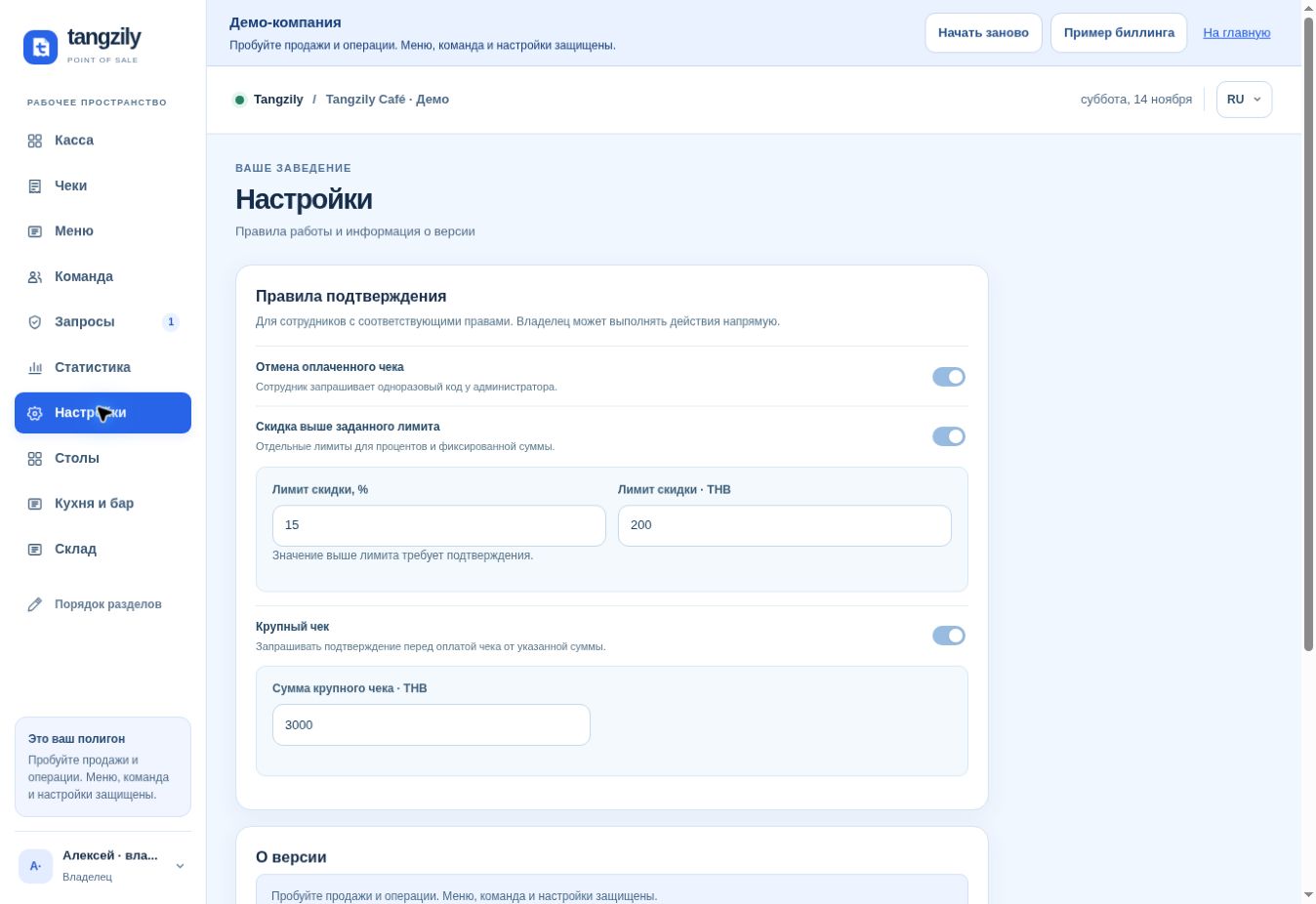
- Set the time zone for business reports. Review discount, large receipt, and void rules before saving.
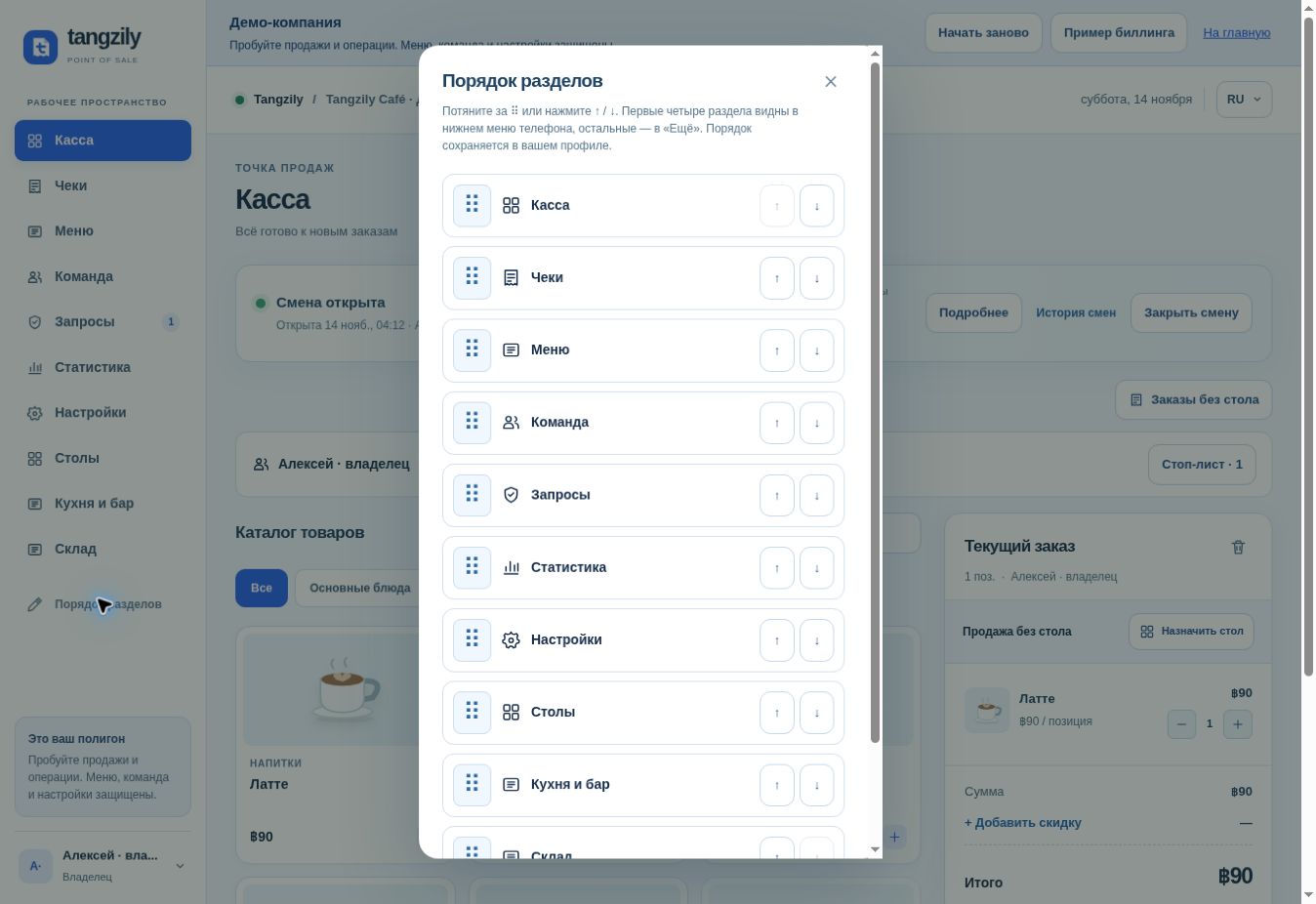
- Use Reorder sections for navigation. On a phone the first four sections appear in the bottom bar, with remaining sections under More.
Buttons and fields
- Display currency / Change currency
- Change how amounts are shown in your account.
- Business currency
- Define the currency of new sales and shifts. Review catalog prices after a change.
- Time zone
- Set the business reporting day and time.
- Discount above limit / Large receipt / Void paid receipt
- Choose which actions need management approval.
- Save limits
- Apply the entered limits for new requests.
- Reorder sections / More
- Personalize the section order or open sections beyond the phone bottom bar.
- Add to home screen
- Open installation options where supported.
- Help Center
- Open the documentation home page.
- Guide for this section / Support
- Open the relevant article or support chat from the sidebar or More on a phone.