 tangzily
Tangzily support and Telegram
Create a ticket, check its status, and reply through the same channel.
Who can use this
The Tangzily chat requires an account. You can also contact @TangzilySupportBot on Telegram.
Instructions
- Collect the company ID, time zone, device and receipt or order number if available. Keep passwords, PINs and card details out of the message.
- In Tangzily, choose Support from the sidebar or More, select New ticket and send your message. Open the ticket again to see the status and replies.
- On Telegram, open @TangzilySupportBot and tap Start. Send a message to get a ticket number. Follow-up messages go to the current open ticket.
- Replies arrive in the channel you used. After a ticket closes, send a new message in Telegram or choose New ticket in Tangzily.
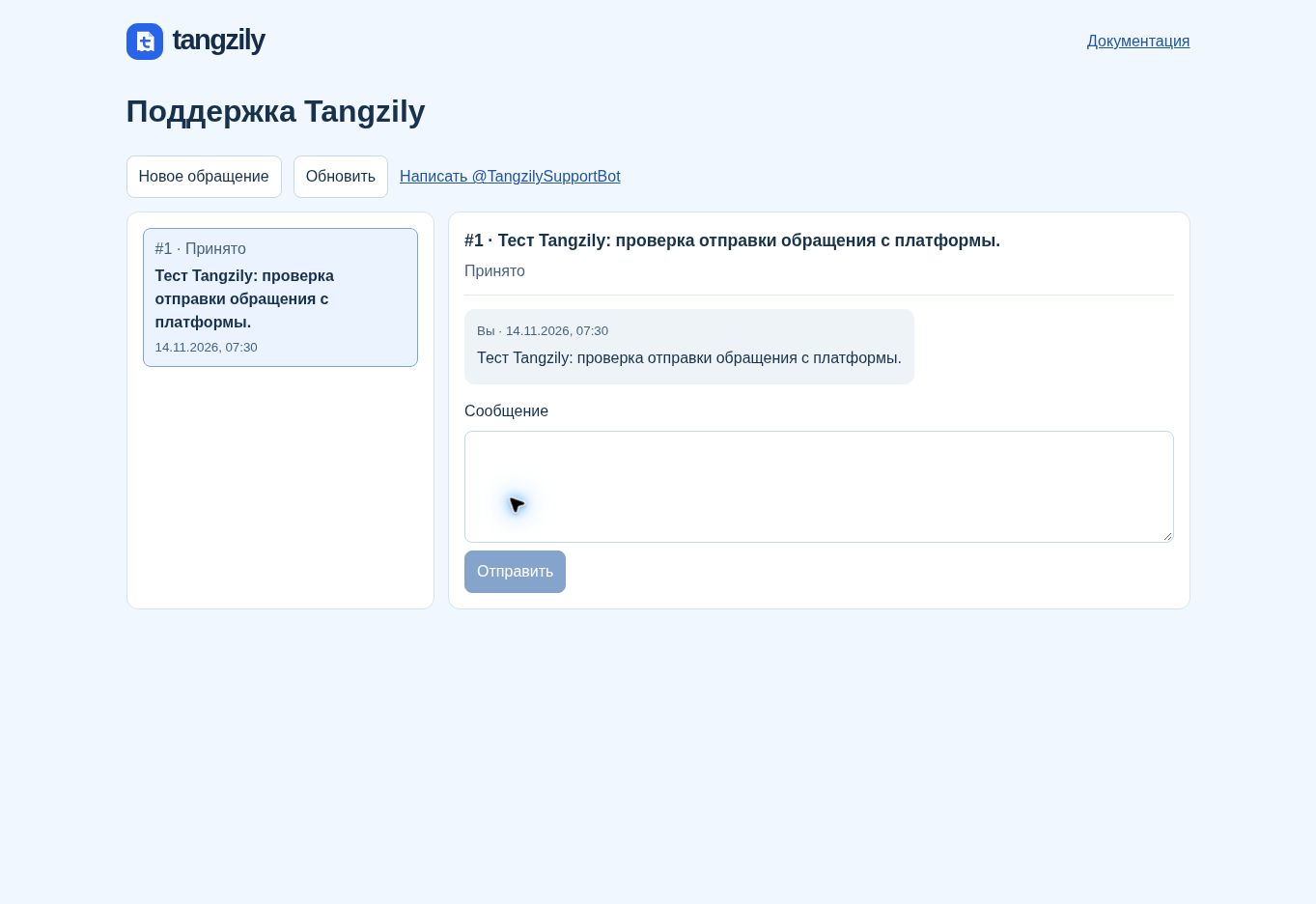
Buttons and fields
- New ticket / Message / Send
- Open the form, describe the issue, and submit the ticket or reply.
- Refresh
- Load the current ticket list and conversation.
- More tickets / Earlier messages
- Load the next page of tickets or older messages in the thread.
- Back to tickets
- Return to the list on a phone.
- Start
- Open the Telegram welcome message. Send a message to create a ticket.
- Ticket status
- Use the button under the welcome message to see the latest ticket number and status in a pop-up. Send /status to see them in the chat.
- Received / Under review / Waiting for your reply / Closed
- See where the ticket stands and whether support needs more information.