 tangzily
Recipes and ingredient requirements
Define ingredients per serving and calculate how much stock a batch will need.
Who can use this
Recipe editing requires inventory management access. Posting a write-off requires inventory document access.
Instructions
- In Inventory, open Recipes. Choose a product and enter its ingredient amounts for one selling portion.
- Review the quantities and units, then save a new version. Use the history to see earlier versions.
- Open the requirements calculator and enter planned portions. Review shortages and create a draft write-off when appropriate. Post the draft separately.
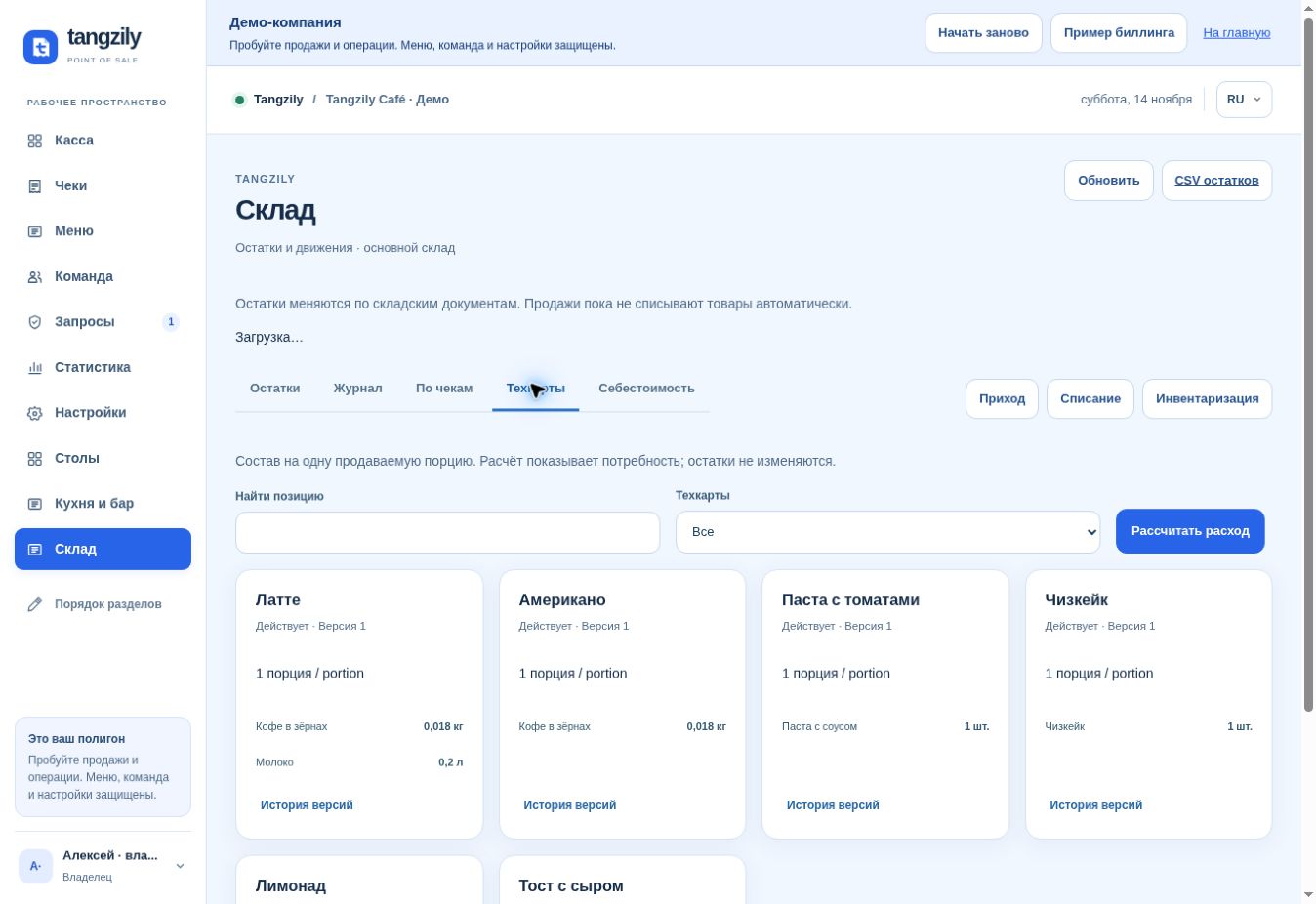
Buttons and fields
- Create recipe / Edit recipe
- Open the ingredient list for the selected product.
- Name / Portion yield / Notes
- Describe the recipe and the result of one portion.
- Active / Disabled
- Set whether the current recipe is available for calculations.
- Add row / Remove row
- Change ingredient lines.
- Review ingredients / Save new version
- Check the recipe and record a new version.
- Version history
- View previous versions without changing the current one.
- Calculate requirements
- Sum ingredients across the products and quantities selected.
- Create draft write-off
- Prepare an editable document for later review and posting.