 tangzily
Receipt write-offs and recipe cost
Link stock consumption to an individual receipt and review estimated recipe cost.
Who can use this
Inventory access is required. Posting requires inventory document access.
Instructions
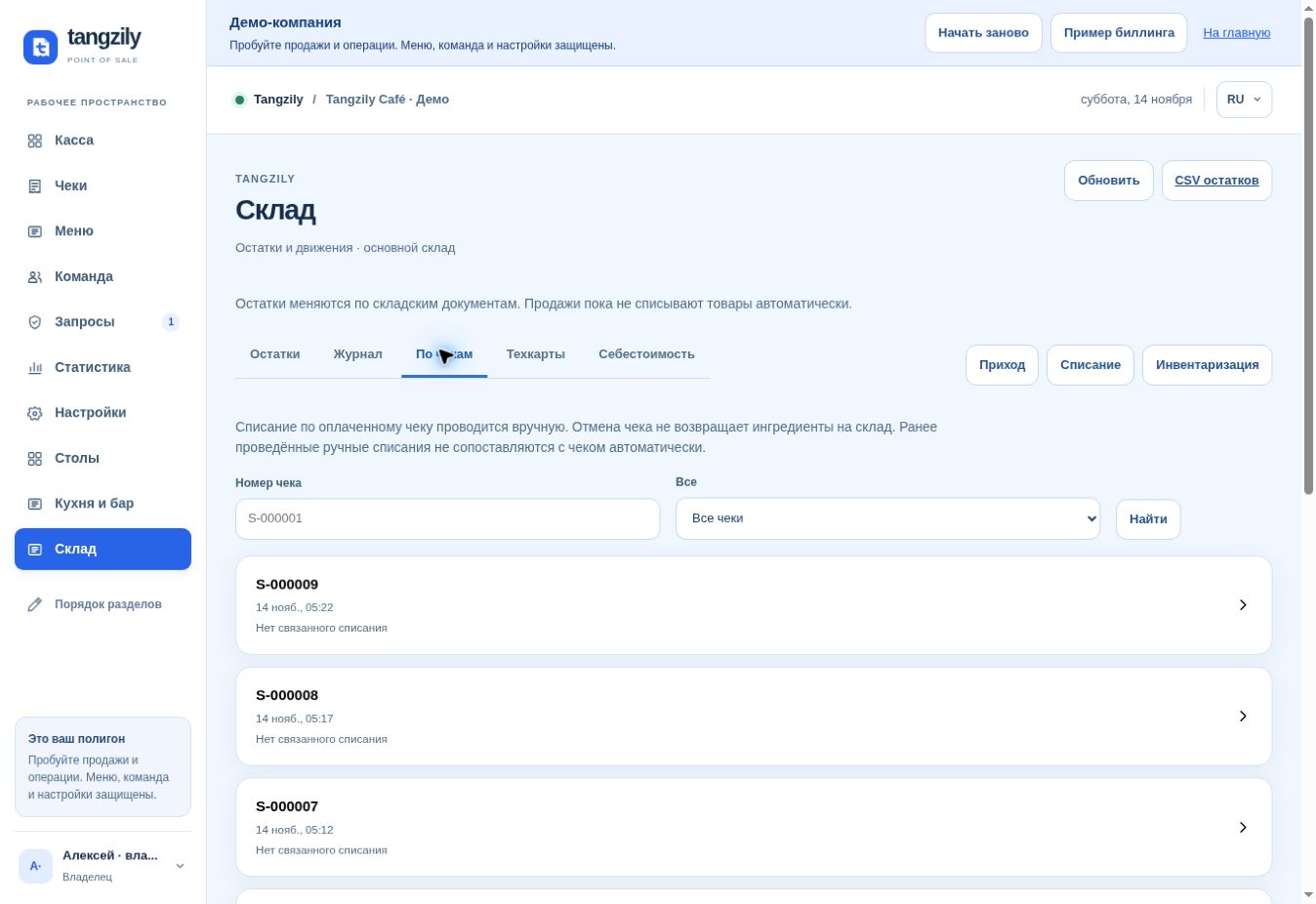
- In Inventory, open By receipt and find the paid receipt. Review the planned deduction and check for earlier write-offs.
- Post the write-off after verifying the quantities. Find the linked document from the receipt row.
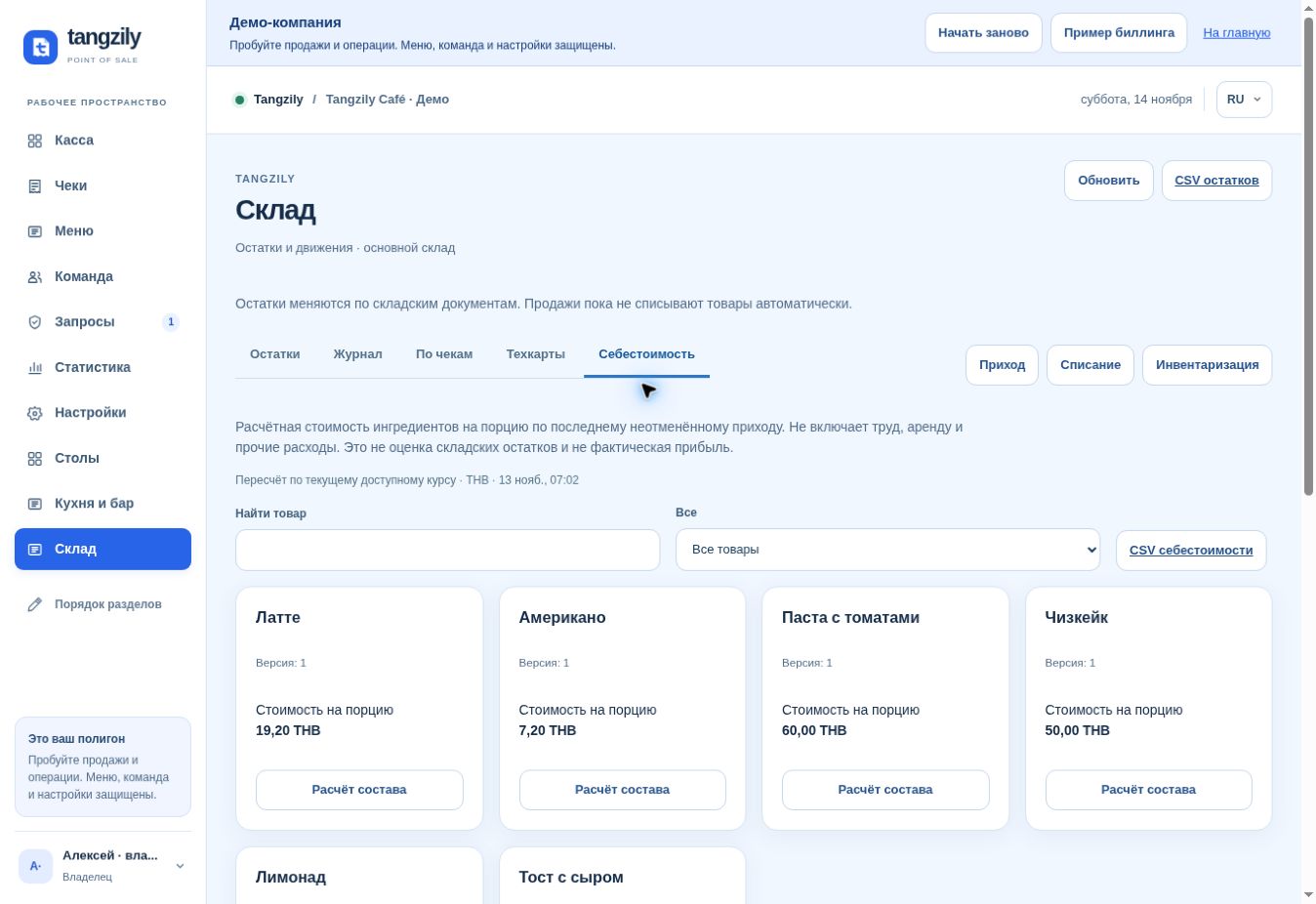
- In Recipe cost, open a product and review the calculation from its current recipe and latest applicable delivery prices.
Buttons and fields
- By receipt / Find
- Open the receipt list and find a specific sale.
- Has write-off / No linked write-off / Voided receipt
- Filter receipts by stock and sale status.
- Review write-off / Recalculate
- Refresh the ingredients and the stock deduction preview.
- Write off by receipt
- Post the reviewed stock deduction linked to that receipt.
- Linked inventory document
- Open the saved stock transaction.
- Recipe cost / Data needed
- Review estimated cost or identify missing ingredients, prices, or exchange rates.
- Recipe breakdown / Latest delivery
- Trace each ingredient cost to a source document.
- Cost CSV
- Export the available recipe cost calculations.