 tangzily
Kitchen, bar, and prechecks
Send items to stations and track preparation, handover, and cancellations.
Who can use this
Preparation stages require Kitchen and bar access. Cashiers can record handover of ready items.
Instructions
- Send the order to the kitchen. Changes to an already sent quantity can require a cancellation reason.
- In Kitchen and bar, filter by station and track items from new to preparing, ready, and handed over.
- Use Precheck for an unpaid order. Completing a payment and changing preparation of a paid order are separate actions.
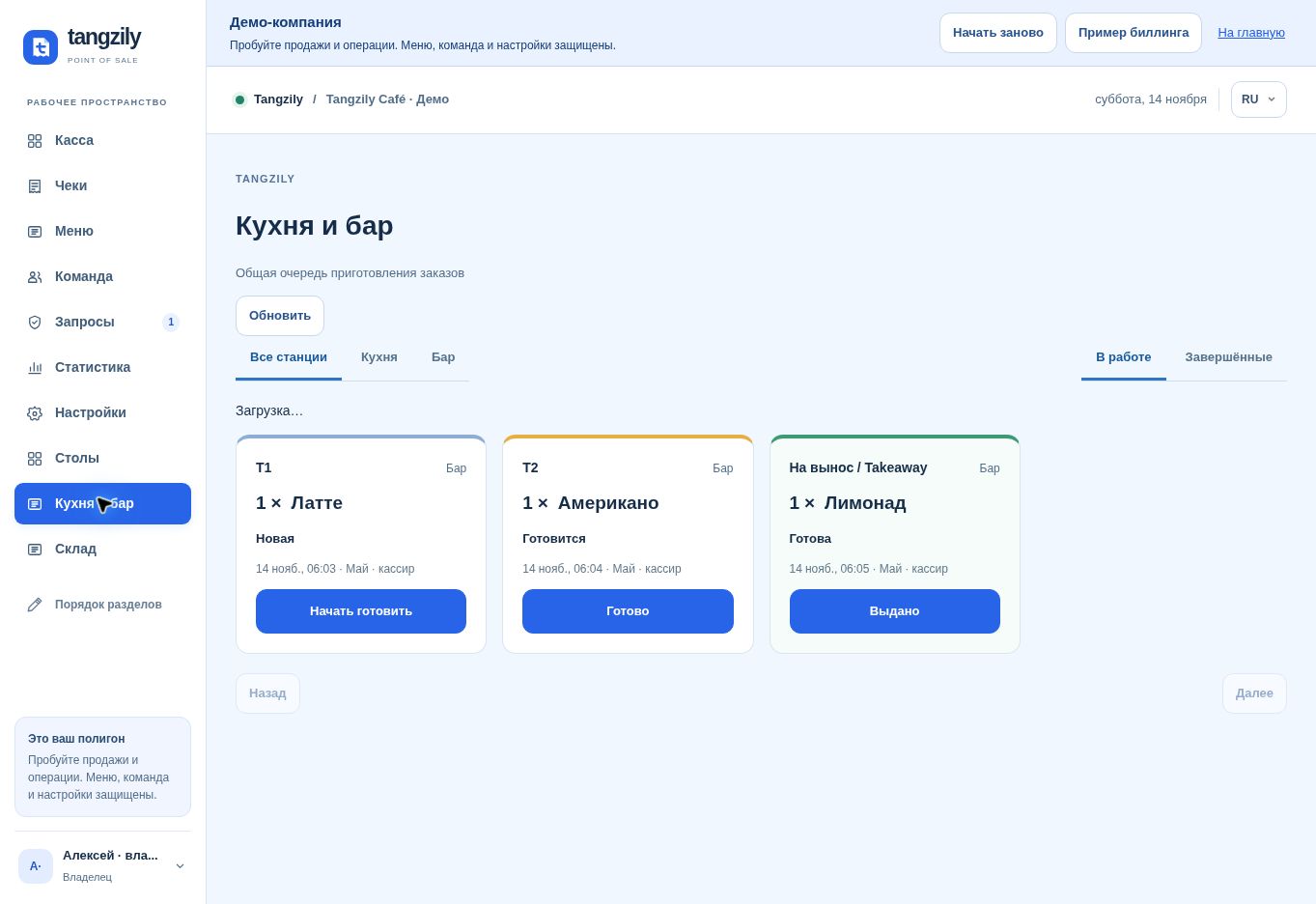
Buttons and fields
- Send to kitchen
- Send new quantities and changes to the configured station.
- Check delivery
- Check the outcome of the same kitchen submission after a connection error.
- All stations / Kitchen / Bar
- Filter the preparation queue by station.
- In progress / Completed
- Switch between active and completed entries.
- Start preparing / Ready / Handed over
- Record the next stage in preparation.
- Acknowledge cancellation
- Mark a cancellation as seen by the station.
- Product stations / Save routes
- Set where future portions are sent.
- Precheck / Cancel preparation
- Print unpaid order details or update preparation without refunding a payment.