 tangzily
Payments and discounts
Record cash and card payments, calculate change, and apply discounts.
Who can use this
An open shift is required. Discounts and approval thresholds depend on your role and company settings.
Instructions
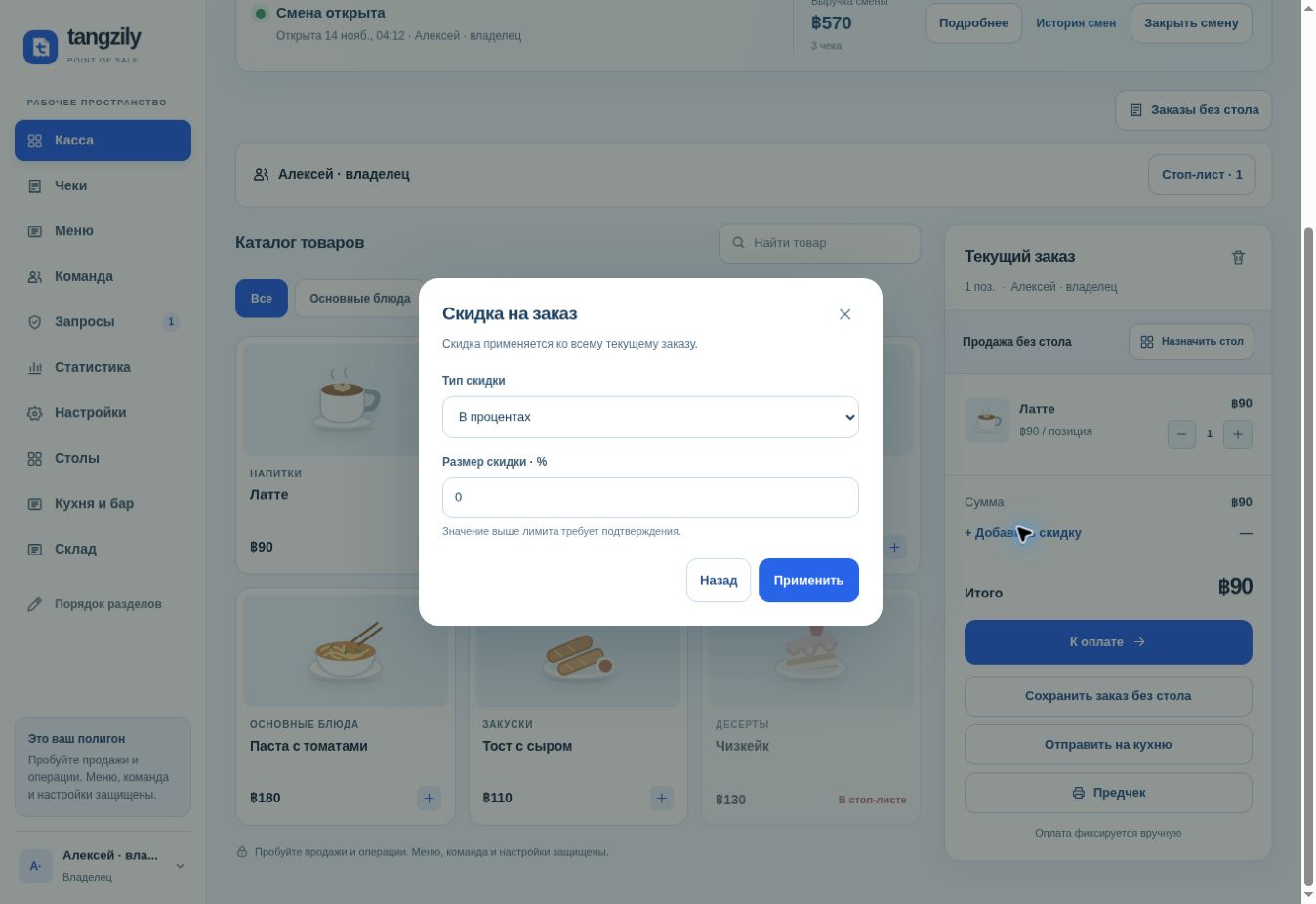
- Add the items and check quantities. Choose a discount type and amount when applicable. Request approval if a limit requires it.
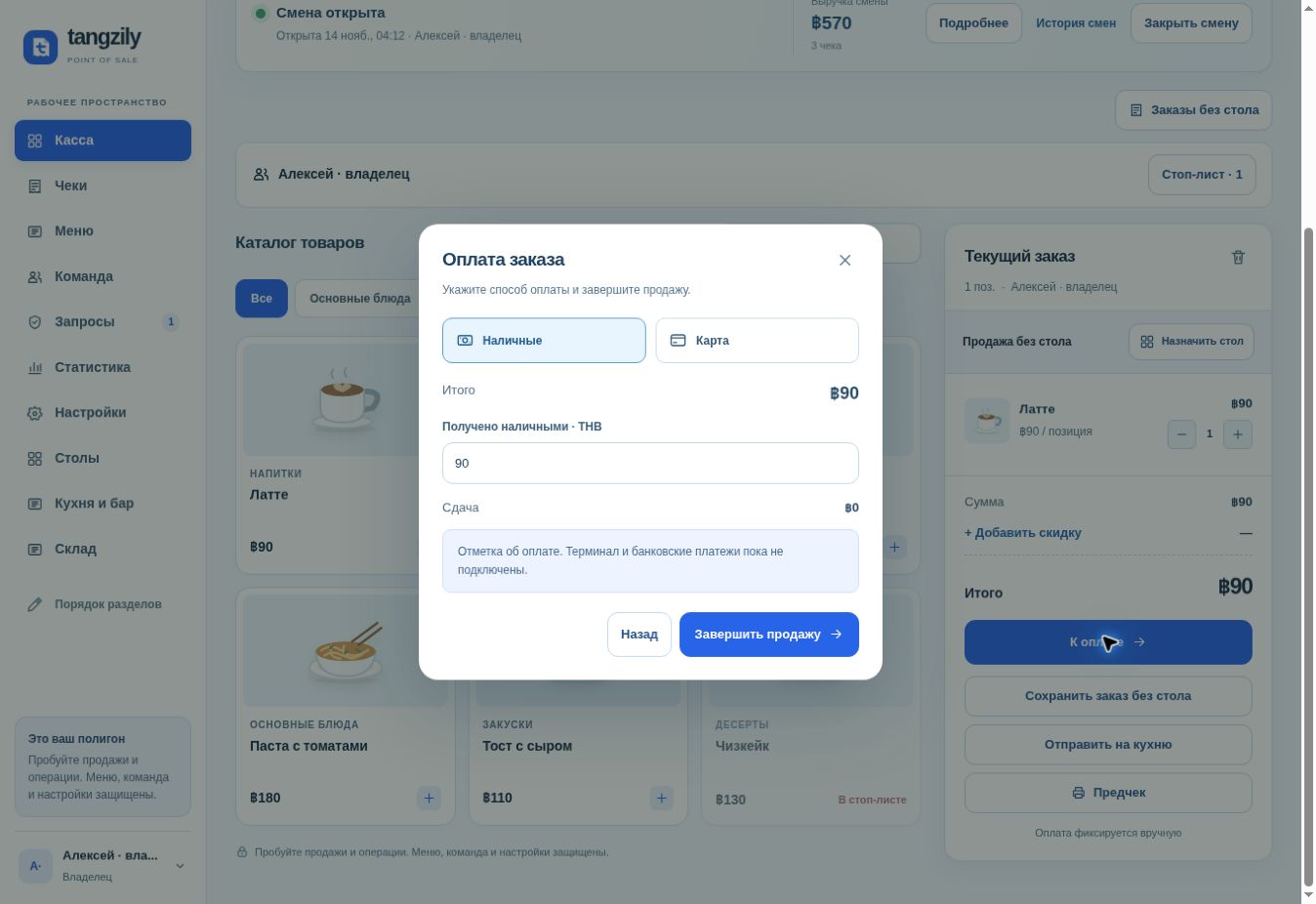
- Open Checkout. For cash, enter the amount received and review the change. For card, take the payment on the external terminal and record Card in Tangzily.
- Complete the sale once. If the result is unclear after a connection failure, use the on-screen check before starting another sale.
Buttons and fields
- Discount type / Discount amount
- Choose a percentage or a fixed amount in the operation currency.
- Apply
- Apply the discount or open the approval request if needed.
- Send request
- Ask an approver for permission to proceed.
- Cash / Cash received
- Record the cash payment and calculate change.
- Card
- Record the payment method for a payment already taken separately.
- Complete sale
- Save the paid receipt to the current shift.
- Check and save
- Check the outcome of the same sale and continue if necessary.