 tangzily
Statistics and CSV exports
Reconcile revenue, receipts, payment methods, and product sales.
Who can use this
Statistics and exports require View statistics access. Receipt visibility follows the company role.
Instructions
- In Statistics, set the period and report currency. Compare revenue, paid receipts, and voids.
- Open Sales by product and drill into the related receipts. To review a specific shift, open it in Shift history.
- Download the sales, shifts, or product CSV. Compare the original transaction amounts and converted columns in the same reporting period.
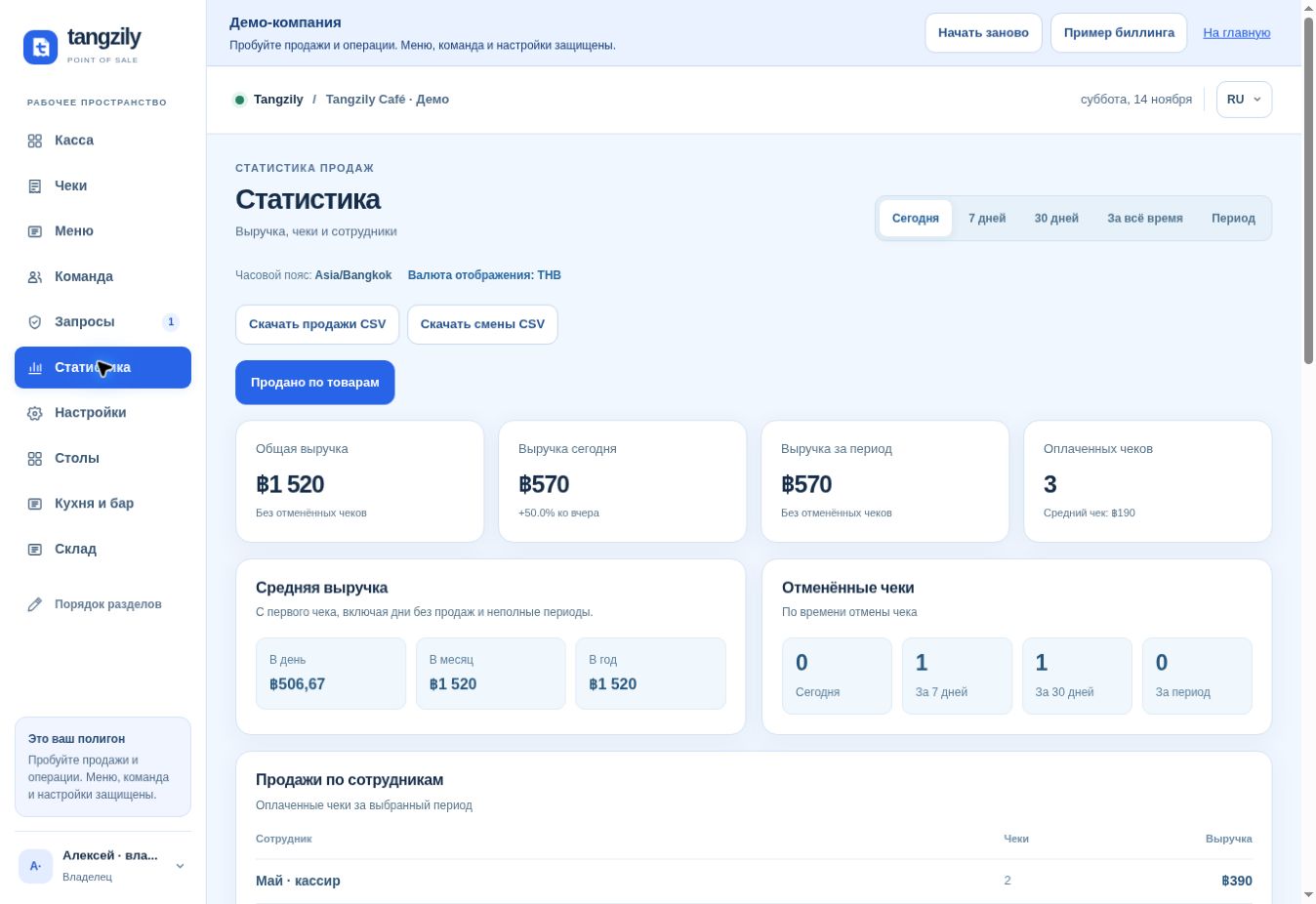
Buttons and fields
- Today / 7 days / 30 days / All time / Period
- Choose the reporting dates in the business time zone.
- Report currency / Refresh
- Choose the display currency and reload figures.
- Sales by employee / Revenue by hour
- Break down the same sales by staff or time of day.
- Voided receipts / Average receipt
- Review cancellations and the average of paid receipts.
- Sales by product / Products / Receipts
- See quantities, net amounts, and the related sales.
- Paid / Voided / Product / Receipt number
- Narrow the detail list.
- Download sales CSV / Download shifts CSV / Products CSV
- Export the selected period and currency.